
How it works
Scheduling
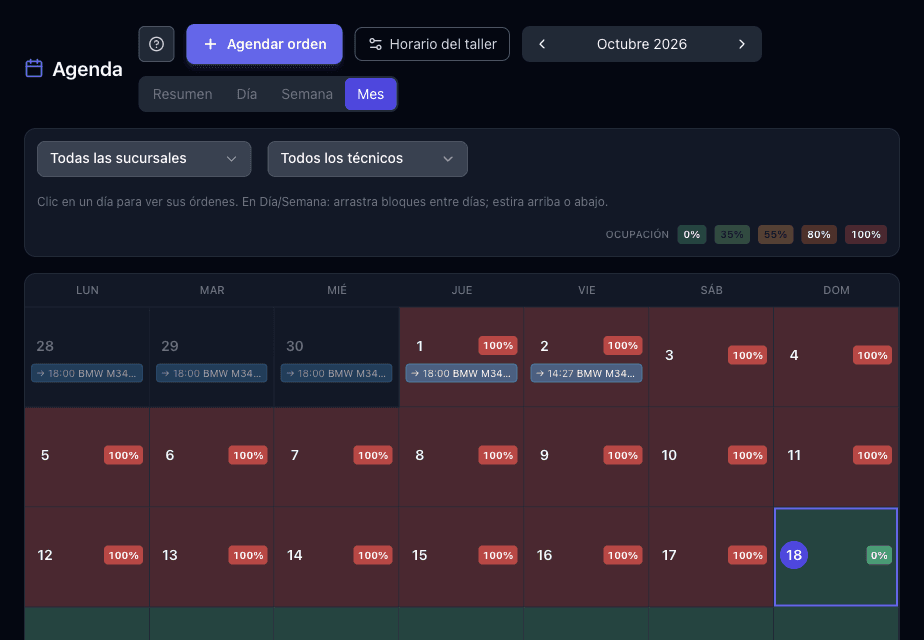
Shop calendar with technician assignment.
How it works
- 1See the day’s occupancy by branch and technician, with real open slots.
- 2Assign the appointment to the right technician; the block moves if you reschedule.
- 3The customer gets the reminder and check-in starts the job.
- Daily occupancy
- Technician assignment
- Multi-location view
Other modules
Work orders
From request to order: complete the customer and vehicle, accept the proposal, and the job is ready for services, billing, technician, scheduling, and check-in.
Quotes
Create, send, and track proposals: catalog, custom lines, validity, PDF, coupon or points, and convert to an order when the customer accepts.
Inventory and products
Stock, inbound/outbound, and product catalog.
Payroll and attendance
Contracts, pay periods, payouts, and daily check-in.
Push campaigns
Scheduled notifications to your customers’ app.
Loyalty program
Points, tiers, rewards, and cashback for repeat customers.
Operational reports
Revenue, service, and team performance metrics.